
Cloudflare R2 from Delphi
Point the AWS SDK for Delphi at Cloudflare R2: bucket setup, access keys, region and endpoint config, and a worked example end to end.

Cloudflare R2 is Cloudflare's object storage, built on the S3 protocol and priced without egress fees. That last part is why many teams reach for it: serve public downloads, host user uploads, or anything else where egress bandwidth is a meaningful part of the bill. The API is compatible enough that the AWS SDK for Delphi points at it with the mechanism from Part 1.
This post walks through setting up R2 in the Cloudflare dashboard, telling the SDK where to send the requests, and running a small program that uploads and downloads a file. Where R2 diverges from AWS S3 (the shape of the region, what's supported and what isn't) gets its own section at the end.
Setting up on R2
Sign in to Cloudflare and open R2 from the dashboard. If it's not enabled, you'll be prompted to activate it. A card is required but the free tier covers what this tutorial needs.
Click Create bucket, give it a name, and pick a location hint if you know where the traffic will come from. Cloudflare uses the hint to decide where the bucket lives; the endpoint URL doesn't depend on it.
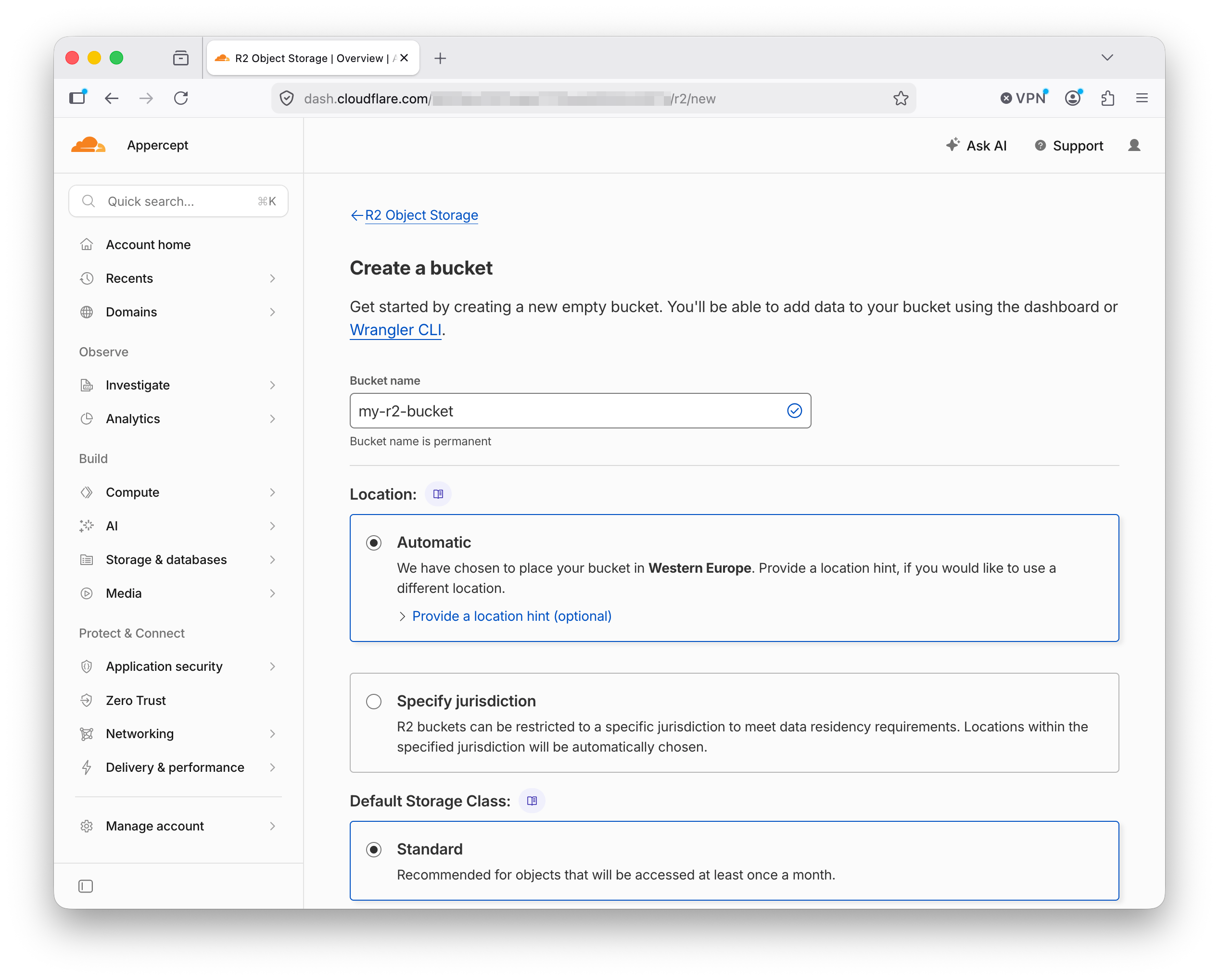
The bucket appears in the list with its endpoint URL alongside it. That's the URL you'll point the SDK at.
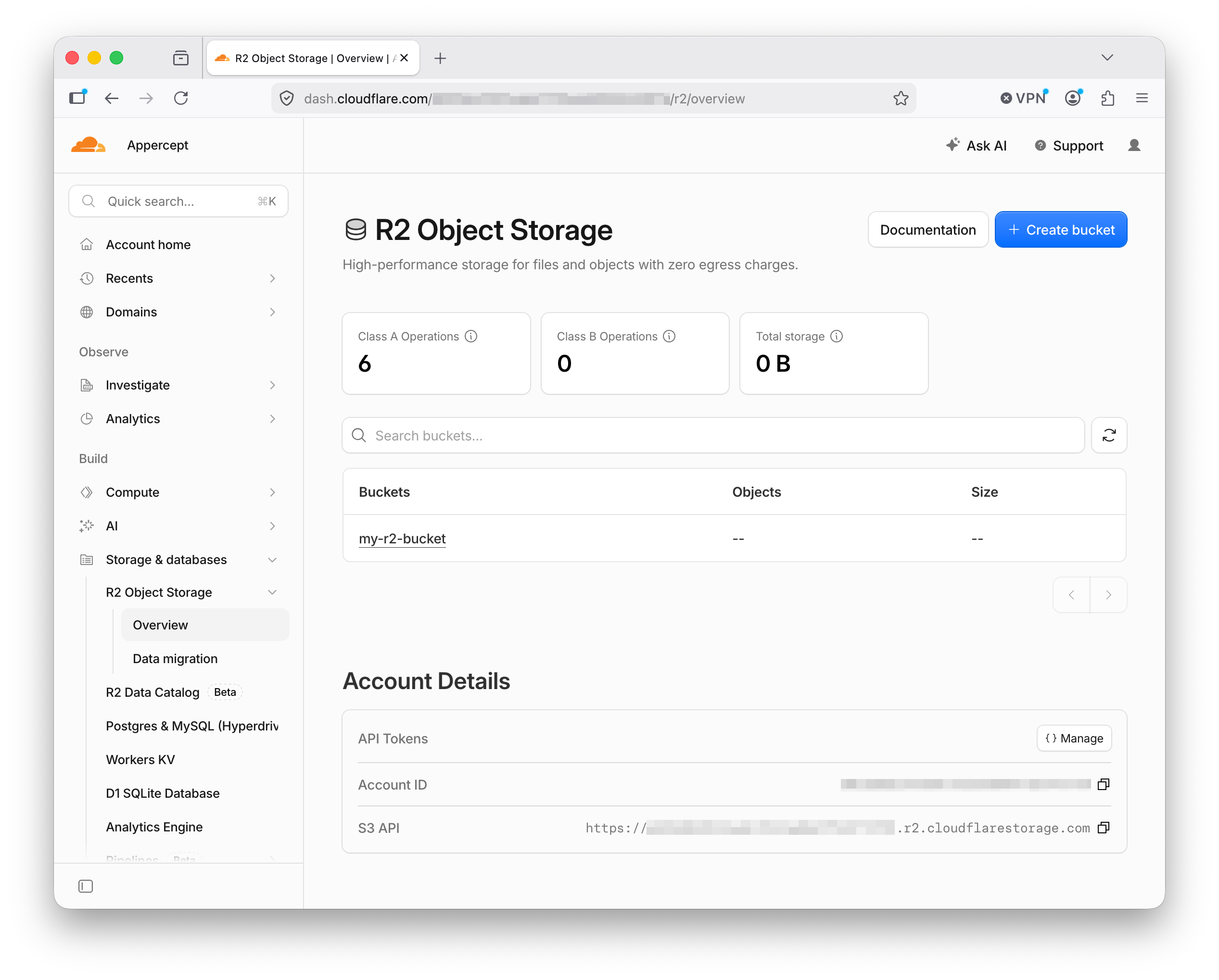
Bucket names on R2 are per-account, not globally unique like AWS S3. If you manage multiple Cloudflare accounts, the same bucket name can exist in each.
Next, the credentials. R2 uses its own access-key pair, separate from your Cloudflare API tokens. Find Manage R2 API Tokens in the R2 section and create a new one with the permissions you need (read, write, or admin).
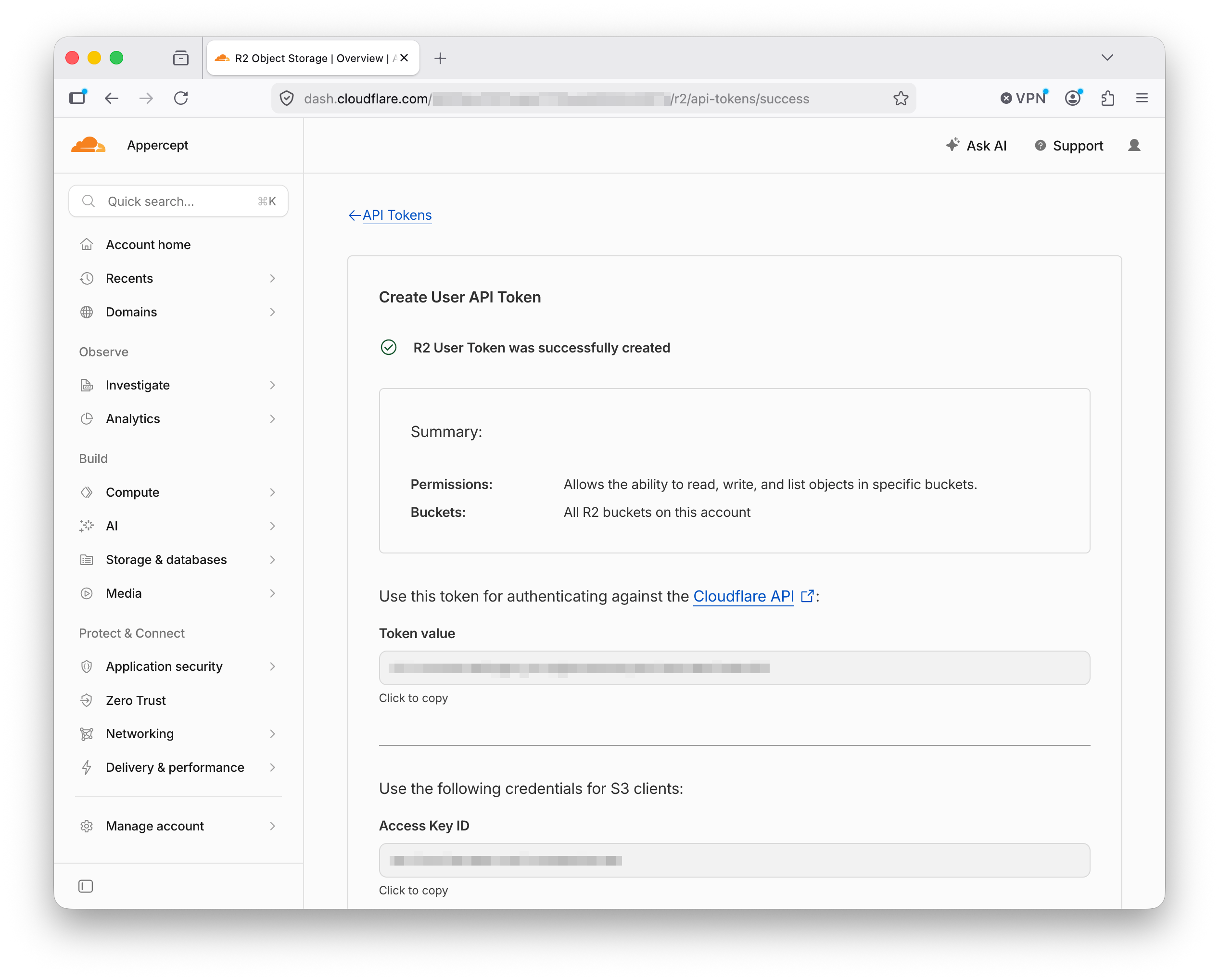
The secret is shown once. Copy it somewhere safe. You'll get an access-key ID and a secret access key, the same shape AWS credentials use.
Configuring the SDK for R2
Put the endpoint URL and the region in your AWS config file, and the access keys in the credentials file:
# ~/.aws/config
[profile r2]
region = auto
endpoint_url = https://<ACCOUNT_ID>.r2.cloudflarestorage.com
# ~/.aws/credentials
[r2]
aws_access_key_id = <r2-access-key-id>
aws_secret_access_key = <r2-secret-access-key>
The endpoint URL is the one shown next to your bucket in the dashboard.
<ACCOUNT_ID> is your Cloudflare account ID, shown on the R2 Object
Storage Overview page under Account Details. Region is the literal
string auto. R2 doesn't use AWS-style region names; the SigV4 signature
carries whatever the client sends and R2 accepts it.
If you'd rather set the endpoint per run, use the AWS_ENDPOINT_URL_S3
environment-variable form. In code, set EndpointUrl, Region, and
Profile on an IS3Options and pass it to the client constructor.
A worked example
Point the SDK at R2, put a file, get it back:
uses
  AWS.S3;

var
  Options: IS3Options;
  Client: IS3Client;
  Obj: IS3Object;
begin
  Options := TS3Options.Create;
  Options.Profile := 'r2';
  Client := TS3Client.Create(Options);

  Obj := TS3Object.Create('my-r2-bucket', 'report.pdf', Client);
  Obj.UploadFile('C:\Reports\quarterly.pdf');
  Obj.DownloadFile('C:\Downloads\quarterly.pdf');
end;
The only line that knows this call is going to R2 rather than Amazon S3 is
Options.Profile := 'r2'. Everything else is the shape any other S3 call
in the SDK takes. The endpoint URL, region, and credentials come from the
profile you set up above.
Run the program and refresh the bucket view in the Cloudflare dashboard. The object should be sitting there.
Where R2 differs
R2 speaks the S3 protocol at the level most applications use, but it isn't Amazon S3. A short catalogue of what to know:
- Region. R2 uses
auto, not an AWS region name. Set it in the profile or the options object and forget about it. Empty strings andus-east-1are accepted as aliases. - Addressing. Path-style. The SDK handles it automatically when
EndpointUrlis set, so this isn't a setting you touch. - Egress. R2 doesn't charge for egress bandwidth, which is the reason many teams reach for it in the first place.
- Storage classes.
STANDARDandSTANDARD_IA. R2 doesn't offer the full AWS S3 range (Glacier, Intelligent-Tiering, and so on). - Versioning, object tagging, and object lock. Not supported. If any of these carry weight in your AWS S3 setup, R2 isn't a drop-in replacement for that workload.
- Bucket-level ACLs, policies, replication, notifications, and acceleration. Also unsupported. The core object operations are the reliable surface; anything past them is worth checking against the R2 docs for your specific case.
Presigned URLs work; SigV4 signing behaves the same way against R2 as
against AWS. Multipart uploads work (the SDK's UploadFile handles them
transparently). Lifecycle rules for managed expiry are supported.
What's next
Next in the series: self-hosted S3-compatible storage from Delphi. Running
your own S3 server beyond localhost, where MinIO's archival leaves things,
and the same program pointed at MinIO, RustFS, or SeaweedFS.
More posts

Backblaze B2 from Delphi
Point the AWS SDK for Delphi at Backblaze B2: the application key its S3 API accepts, one region per account, always-on versioning, and a worked example.
Read more →
Self-hosted S3-compatible storage from Delphi
Run your own S3 endpoint and point the AWS SDK for Delphi at it: MinIO, RustFS, and SeaweedFS, one program against all three, and where MinIO's archival leaves things.
Read more →
Build ReadWhatYouSee: Textract, Translate, and Polly together
The series finale: a Delphi app that reads text from an image with Textract, translates it with Translate, and speaks it aloud with Polly.
Read more →